> For the complete documentation index, see [llms.txt](https://documentation.deep-image.ai/llms.txt). Markdown versions of documentation pages are available by appending `.md` to page URLs; this page is available as [Markdown](https://documentation.deep-image.ai/image-processing/enhance-lighting-and-colors/enhance-lighting-and-colors.md).

# Classic

### Classic

Classic provides the existing light, color, white-balance, and exposure-correction algorithms.

Image lighting, colors, and contrast can be enhanced with `light`, `color`, and `white_balance`.

```json
{
    "enhancements": ["light", "color", "white_balance", "exposure_correction"]
}
```

Those types of enhancements can be parametrized further.

```json
    "light_parameters": {
        "type": "contrast", // "hdr_light" | "hdr_light_advanced"
        "level": 0.8
    },

    "color_parameters": {
        "type": "contrast", // "hdr_light" | "hdr_light_advanced",
        "level": 0.8
    },

    "white_balance_parameters": {
        "level": 0.8
    }
```

#### Types of light and color algorithms

Let's check the various combinations of light algorithms enhancements.

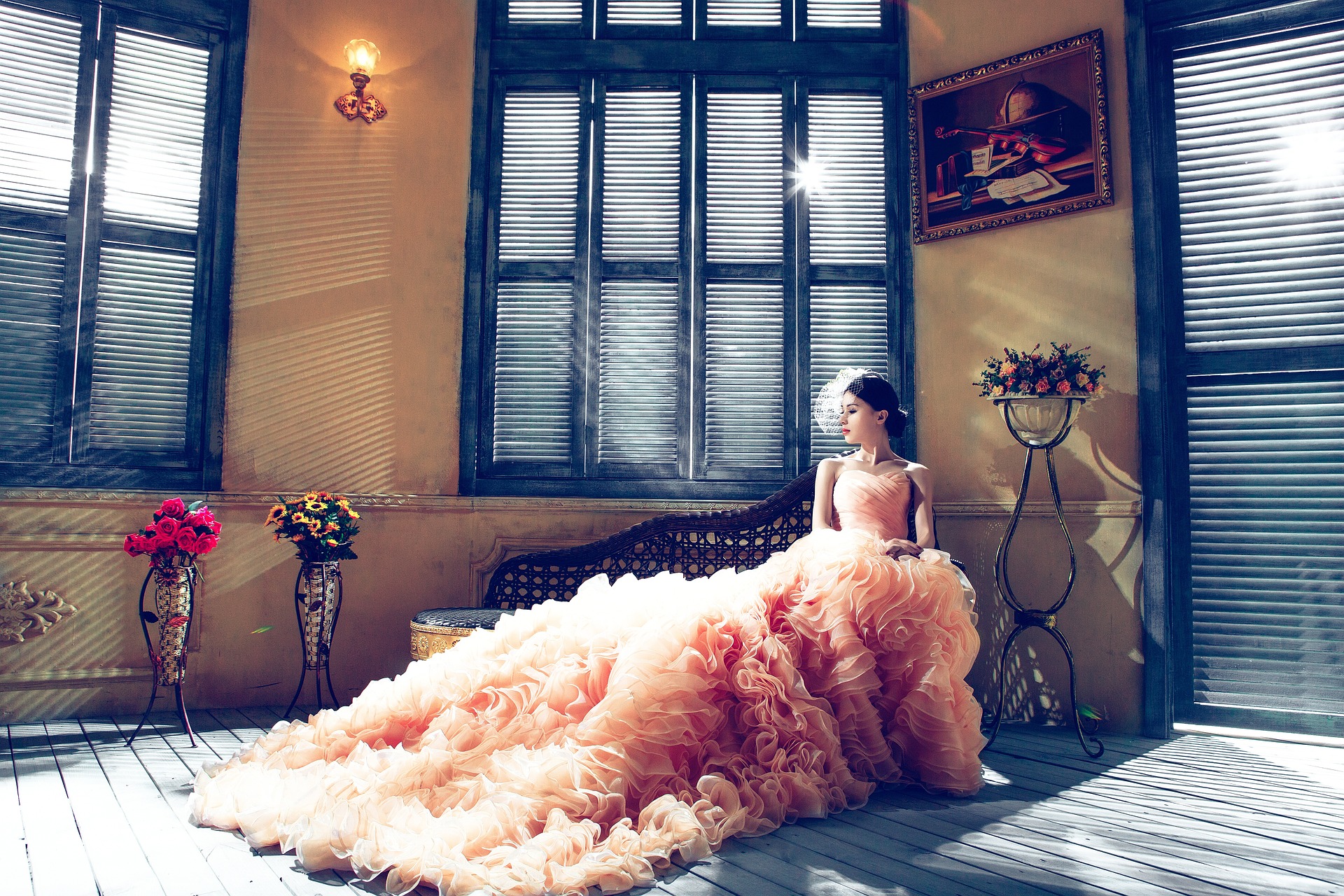
Our input image:

<figure><img src="https://2652559519-files.gitbook.io/~/files/v0/b/gitbook-x-prod.appspot.com/o/spaces%2F3i5YcUkcXyIsWHIhRO2d%2Fuploads%2Fp4YBSzAfZw1grBHmX2mD%2Fbride-1486004_1920.jpg?alt=media&amp;token=0b7d0ce9-f838-41f1-9b48-f6426aeea4a8" alt=""><figcaption></figcaption></figure>

The results of 3 light enhancement types.

{% tabs %}
{% tab title="hdr\_light\_andvanced" %}

```json
{
    "url": "https://deep-image.ai/api-example3.jpg",
    "enhancements": ["light"],
    "light_parameters": {
        "type": "hdr_light_advanced",
        "level": 1
    }
}
```

<figure><img src="https://2652559519-files.gitbook.io/~/files/v0/b/gitbook-x-prod.appspot.com/o/spaces%2F3i5YcUkcXyIsWHIhRO2d%2Fuploads%2F9nUCQYKtZ20qHQhGEINV%2Fbride-1486004_1920-light-100%25.jpg?alt=media&amp;token=e943e0c7-31ef-4f7a-af57-f49f2166755a" alt=""><figcaption></figcaption></figure>
{% endtab %}

{% tab title="hdr\_light" %}

```json
{
    "url": "https://deep-image.ai/api-example3.jpg",
    "enhancements": ["light"],
    "light_parameters": {
        "type": "hdr_light",
        "level": 1
    }
}
```

<figure><img src="https://2652559519-files.gitbook.io/~/files/v0/b/gitbook-x-prod.appspot.com/o/spaces%2F3i5YcUkcXyIsWHIhRO2d%2Fuploads%2FqczpHW2T8NlJE8EuXUfY%2Fbride-1486004_1920-enhance_light.jpg?alt=media&amp;token=3b756a6c-97b3-4351-b2ae-89c5d72df762" alt=""><figcaption></figcaption></figure>
{% endtab %}

{% tab title="contrast" %}

```json
{
    "url": "https://deep-image.ai/api-example3.jpg",
    "enhancements": ["light"],
    "light_parameters": {
        "type": "contrast",
        "level": 1
    }
}
```

<figure><img src="https://2652559519-files.gitbook.io/~/files/v0/b/gitbook-x-prod.appspot.com/o/spaces%2F3i5YcUkcXyIsWHIhRO2d%2Fuploads%2FwprTBt0K4szEwFfDKwwc%2Fbride-1486004_1920-enhance_light_contrast.jpg?alt=media&amp;token=fa10632a-360b-4281-baa0-b980cbc3f2be" alt=""><figcaption></figcaption></figure>
{% endtab %}
{% endtabs %}

The input image which is little bit desaturated.

<figure><img src="https://2652559519-files.gitbook.io/~/files/v0/b/gitbook-x-prod.appspot.com/o/spaces%2F3i5YcUkcXyIsWHIhRO2d%2Fuploads%2FvYdWOuObGCcMdBZMOeDQ%2Fbride-1486004_1920-enhance_light-des.jpg?alt=media&amp;token=4cdd06af-2e74-4584-bfae-6f1e0798aa56" alt=""><figcaption></figcaption></figure>

The results of color enhancements

{% tabs %}
{% tab title="hdr\_light\_andvanced" %}

```json
{
    "url": "https://deep-image.ai/api-example3.jpg",
    "enhancements": ["color"],
    "color_parameters": {
        "type": "hdr_light_advanced",
        "level": 1
    }
}
```

<figure><img src="https://2652559519-files.gitbook.io/~/files/v0/b/gitbook-x-prod.appspot.com/o/spaces%2F3i5YcUkcXyIsWHIhRO2d%2Fuploads%2Fm5JdHwSPwrsL3TMjQ5RX%2Fbride-1486004_1920-enhance_light-des-light-1%25_color-100%25.jpg?alt=media&amp;token=c37a72ce-c728-4ea1-b71e-f74b7bec014f" alt=""><figcaption></figcaption></figure>
{% endtab %}

{% tab title="hdr\_light" %}

```json
{
    "url": "https://deep-image.ai/api-example3.jpg",
    "enhancements": ["color"],
    "color_parameters": {
        "type": "hdr_light",
        "level": 1
    }
}
```

<figure><img src="https://2652559519-files.gitbook.io/~/files/v0/b/gitbook-x-prod.appspot.com/o/spaces%2F3i5YcUkcXyIsWHIhRO2d%2Fuploads%2Fmaq5GxHPoEGoI9VkT3Ve%2Fbride-1486004_1920-enhance_light-des-enhance_light_color-100%25.jpg?alt=media&amp;token=f7ef51bb-f30b-414e-85a8-f1e2cc658352" alt=""><figcaption></figcaption></figure>
{% endtab %}

{% tab title="contrast" %}

```json
{
    "url": "https://deep-image.ai/api-example3.jpg",
    "enhancements": ["color"],
    "color_parameters": {
        "type": "contrast",
        "level": 1
    }
}
```

<figure><img src="https://2652559519-files.gitbook.io/~/files/v0/b/gitbook-x-prod.appspot.com/o/spaces%2F3i5YcUkcXyIsWHIhRO2d%2Fuploads%2FRwMBIyACw8LMJBoEfQ5O%2Fbride-1486004_1920-enhance_light-des-enhance_light_contrast_color-100%25.jpg?alt=media&amp;token=baa949b7-f6dc-4678-ad1a-e92317e63dc7" alt=""><figcaption></figcaption></figure>
{% endtab %}
{% endtabs %}

Combining all together.

{% tabs %}
{% tab title="hdr\_light\_andvanced" %}

```json
{
    "url": "https://deep-image.ai/api-example3.jpg",
    "enhancements": ["light","color"],
    "light_parameters": {
        "type": "hdr_light_advanced",
        "level": 1
    },
    "color_parameters": {
        "type": "hdr_light_advanced",
        "level": 1
    }
}
```

<figure><img src="https://2652559519-files.gitbook.io/~/files/v0/b/gitbook-x-prod.appspot.com/o/spaces%2F3i5YcUkcXyIsWHIhRO2d%2Fuploads%2F0c6iR7d498KhxWSb3x2Q%2Fbride-1486004_1920-upscaled_x2_light-100%25_color-100%25.jpg?alt=media&amp;token=b77e6a63-ba16-4ca8-ab98-82c5ac546960" alt=""><figcaption></figcaption></figure>
{% endtab %}

{% tab title="hdr\_light" %}

```json
{
    "url": "https://deep-image.ai/api-example3.jpg",
    "enhancements": ["light","color"],
    "light_parameters": {
        "type": "hdr_light",
        "level": 1
    },
    "color_parameters": {
        "type": "hdr_light",
        "level": 1
    }
}
```

<figure><img src="https://2652559519-files.gitbook.io/~/files/v0/b/gitbook-x-prod.appspot.com/o/spaces%2F3i5YcUkcXyIsWHIhRO2d%2Fuploads%2F4EMNCWrUvh9Gr5B5sPx7%2Fbride-1486004_1920-upscaled_x2_enhance_light_color-100%25.jpg?alt=media&amp;token=8c64e95a-9413-4c45-bc2c-ac967ac15272" alt=""><figcaption></figcaption></figure>
{% endtab %}

{% tab title="contrast" %}

```json
{
    "url": "https://deep-image.ai/api-example3.jpg",
    "enhancements": ["light","color"],
    "light_parameters": {
        "type": "contrast",
        "level": 1
    },
    "color_parameters": {
        "type": "contrast",
        "level": 1
    }
}
```

<figure><img src="https://2652559519-files.gitbook.io/~/files/v0/b/gitbook-x-prod.appspot.com/o/spaces%2F3i5YcUkcXyIsWHIhRO2d%2Fuploads%2FrvKkp9k1WeKYfIFGm2L5%2Fbride-1486004_1920-upscaled_x2_enhance_light_contrast_color-100%25.jpg?alt=media&amp;token=6eeefc8a-1932-41fa-8270-3eafe1a4d9dc" alt=""><figcaption></figcaption></figure>
{% endtab %}
{% endtabs %}

#### White balance correction

White balance can be corrected automatically when the camera settings are incorrect.

<figure><img src="https://2652559519-files.gitbook.io/~/files/v0/b/gitbook-x-prod.appspot.com/o/spaces%2F3i5YcUkcXyIsWHIhRO2d%2Fuploads%2FWYHoWBuEdbHD2iXtT0rN%2F4987720360_4334b28e5f_o%20(1)-1.jpg?alt=media&amp;token=ead6da5d-027e-44a5-9bb2-370b369c1aa1" alt=""><figcaption></figcaption></figure>

```json
{
    "enhancements": ["white_balance"]
}
```

<figure><img src="https://2652559519-files.gitbook.io/~/files/v0/b/gitbook-x-prod.appspot.com/o/spaces%2F3i5YcUkcXyIsWHIhRO2d%2Fuploads%2FJ0myNPD9m8Bk3Nw3veV6%2F4987720360_4334b28e5f_o%20(1)-1-.jpg?alt=media&amp;token=1a720d6a-9a7c-4feb-9bf0-81f362d489cf" alt=""><figcaption></figcaption></figure>

#### Exposure correction

Use `exposure_correction` to correct exposure. Unlike `light`, it applies gamma correction across the whole image.

```json
    "enhancements": ["exposure_correction"]
```

<figure><img src="https://2652559519-files.gitbook.io/~/files/v0/b/gitbook-x-prod.appspot.com/o/spaces%2F3i5YcUkcXyIsWHIhRO2d%2Fuploads%2FmWe6ehxHfmL7wlh5Y9WL%2Fimage.png?alt=media&amp;token=15b297d8-5690-4c7a-8a0f-9b8c7af2c8f0" alt=""><figcaption><p><a href="https://deep-image.ai/api-example3.jpg">https://deep-image.ai/api-example3.jpg</a> exposure corrected</p></figcaption></figure>

### Advanced

Advanced uses Flux Relight to generate improved lighting and colors. It transfers those changes back to the original image.

The output always retains the original image resolution.

#### Enable Advanced correction

Add `generative_tone_correction` to `enhancements`. Pass custom settings in `generative_tone_correction_parameters`.

```json
{
  "url": "image_url",
  "enhancements": ["generative_tone_correction"],
  "generative_tone_correction_parameters": {
    "exposure_strength": 0.8,
    "contrast_strength": 0.8,
    "white_balance_strength": 0.9,
    "saturation_strength": 0.8,
    "light_transfer_strength": 0.4,
    "generated_image_strength": 0.0,
    "local_light_strength": 0.0,
    "lora_scale": 1.0,
    "seed": 42,
    "classic_transfer": true,
    "preserve_source_chroma": false
  }
}
```

The web labels are not JSON field names.

#### Choose what to correct

The controls are independent and cumulative. Set a component to `0.0` to disable its transfer.

* **Light only:** use `light_transfer_strength`, `exposure_strength`, and `contrast_strength`. Set `white_balance_strength` and `saturation_strength` to `0.0`.
* **Colors only:** use `white_balance_strength` and `saturation_strength`. Set `light_transfer_strength`, `exposure_strength`, and `contrast_strength` to `0.0`.
* **Light and colors:** configure all five strengths as needed.

Every strength accepts a floating-point value from `0.0` to `1.0`. A value of `1.0` requests the strongest transfer. Scene-dependent safety limits may reduce it.

Setting a component to `0.0` does not disable the processing pipeline.

#### Parameters

When `generative_tone_correction_parameters` is omitted, Advanced uses these defaults:

```json
{
  "exposure_strength": 0.8,
  "contrast_strength": 0.8,
  "white_balance_strength": 0.9,
  "saturation_strength": 0.8,
  "light_transfer_strength": 0.4,
  "generated_image_strength": 0.0,
  "local_light_strength": 0.0,
  "lora_scale": 1.0,
  "seed": 42,
  "classic_transfer": true,
  "preserve_source_chroma": false
}
```

* **Light transfer** → `light_transfer_strength` — default `0.4`. Transfers broad illumination and the global tone curve. It avoids copying texture or geometry. Values from `0.2` to `0.4` are usually safer.
* **Exposure** → `exposure_strength` — default `0.8`. Controls transfer of overall brightness. It is not an exposure value in stops.
* **Contrast** → `contrast_strength` — default `0.8`. Moves the image toward the reference tonal range. With light transfer, it uses an edge-aware tone field.
* **White balance** → `white_balance_strength` — default `0.9`. Controls estimated color temperature and tint correction. It does not set Kelvin or a fixed tint.
* **Saturation** → `saturation_strength` — default `0.8`. Controls color-intensity transfer. A value of `0.0` does not convert the image to grayscale.

The web app percentage maps directly to the API strength:

```
API strength = web percentage / 100
```

For example, **White balance** at `70%` uses `white_balance_strength: 0.7`.

Lowering `light_transfer_strength` does not disable the other corrections. They are still evaluated when their strengths are greater than `0.0`.

#### Auto Enhance preset

The normal **Auto Enhance** web option uses `auto_enhance_tone_correction`.

```json
{
  "url": "image_url",
  "preset": "auto_enhance_tone_correction"
}
```

This preset combines denoise, face enhancement, and Natural Balance Advanced correction. It does not run legacy exposure, light, color, white-balance, or deblur models.

The legacy `auto_enhance` preset remains available for API compatibility.