> For the complete documentation index, see [llms.txt](https://documentation.deep-image.ai/llms.txt). Markdown versions of documentation pages are available by appending `.md` to page URLs; this page is available as [Markdown](https://documentation.deep-image.ai/image-processing/prompt-based-image-editing.md).
# Prompt-based image editing
Prompt-based editing lets you modify a specific part of an image by describing the change you want to see. The API uses a context image and generates a new version based on your instruction.
#### Basic example
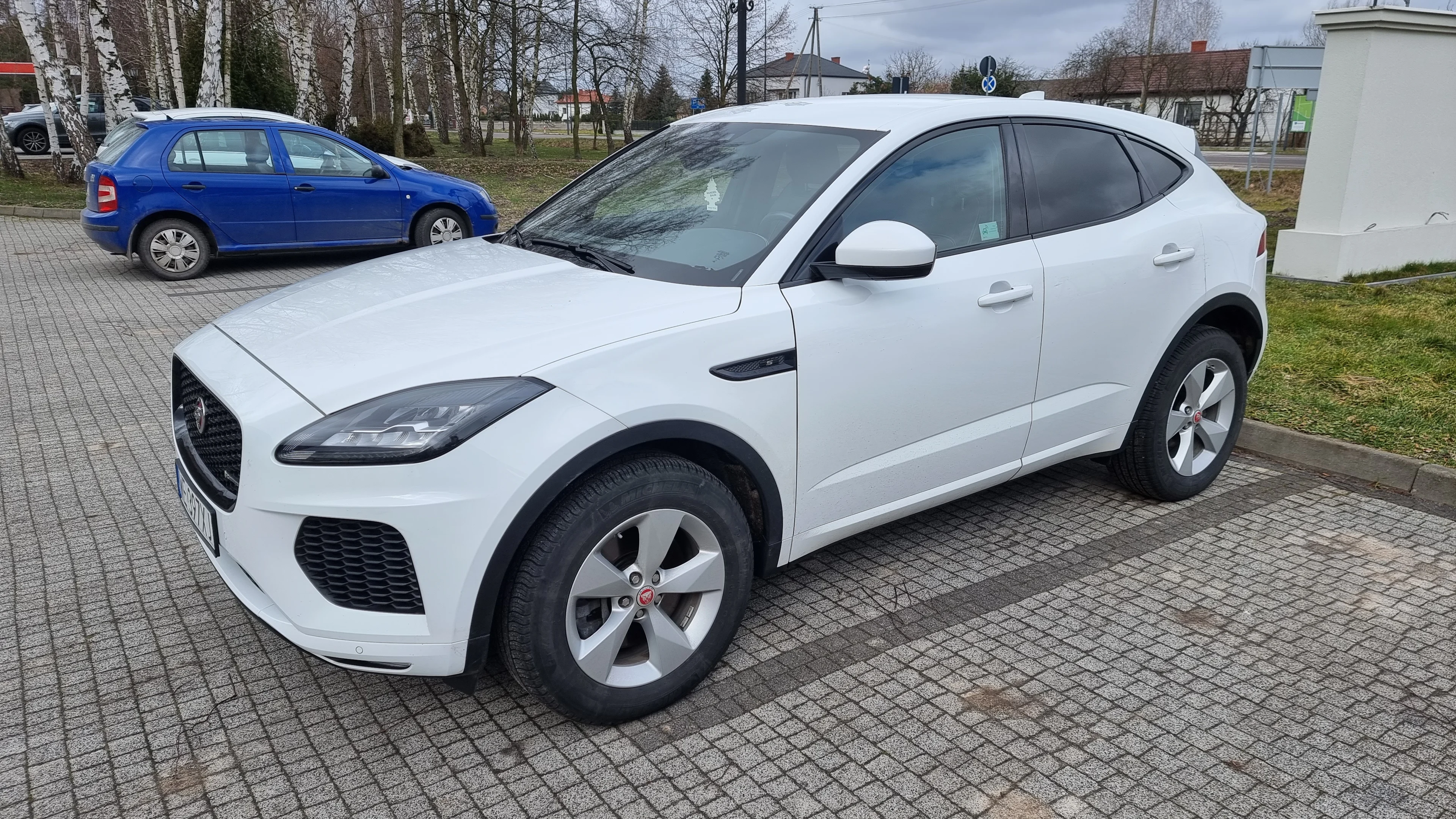
Let's us try to remove a blue car from below photo.
```json
{
"background": {
"generate": {
"description": "remove a blue car",
"model_type": "gemini-3-pro-image-preview",
"adapter_type": "img2img",
"context_images": [
"https://s3.eu-central-1.amazonaws.com/deep-image.ai/api-examples/gitbook1.jpg"
]
}
},
"width": 1344,
"height": 768
}
```
And the result is
#### Parameters of background generate section
| Parameter | Description |
| --------------- | ------------------------------------------------------------------------------------------------------------------------------------------- |
| description | Text prompt describing the edit you want to apply. |
| model\_type | Model used for editing. Example: gemini-3-pro-image-preview. [Other models](/image-processing/advanced-model-types-for-image-generation.md) |
| adapter\_type | Adapter that defines the editing mode. Use img2img for editing based on an existing image. |
| context\_images | Array of URLs to source images used as context for the edit. |
| width | Target width of the output image. |
| height | Target height of the output image. |
#### Notes
* Use clear and specific prompts (e.g., “remove a blue car”, “replace sky with sunset”).
* The output size is controlled by width and height.
* context\_images must be publicly accessible URLs.
#### Example prompt variations
{% tabs %}
{% tab title="Remove object" %}
```json
{
"background": {
"generate": {
"description": "remove a blue car",
"model_type": "gemini-3-pro-image-preview",
"adapter_type": "img2img",
"context_images": [
"https://s3.eu-central-1.amazonaws.com/deep-image.ai/api-examples/gitbook1.jpg"
]
}
},
"width": 1344,
"height": 768
}
```
{% endtab %}
{% tab title="Change background" %}
```json
{
"background": {
"generate": {
"description": "replace background with a snowy mountain landscape",
"model_type": "gemini-3-pro-image-preview",
"adapter_type": "img2img",
"context_images": [
"https://s3.eu-central-1.amazonaws.com/deep-image.ai/api-examples/gitbook1.jpg"
]
}
},
"width": 1344,
"height": 768
}
```
{% endtab %}
{% tab title="Add detail" %}
```json
{
"background": {
"generate": {
"description": "add a red umbrella on the left side",
"model_type": "gemini-3-pro-image-preview",
"adapter_type": "img2img",
"context_images": [
"https://s3.eu-central-1.amazonaws.com/deep-image.ai/api-examples/gitbook1.jpg"
]
}
},
"width": 1344,
"height": 768
}
```
{% endtab %}
{% endtabs %}
.png?alt=media&token=b3adefb7-b3c8-4f60-9565-26d4eed61a75)